Secrets
To obtain Access Tokens, a Client must, or should, provide a Client Id and a Client Secret (Client Id and Client Secret are roughly equivalent to username and password).
The different types of secrets are described here.
Using No Secret
Clients can be configured to require no Secret. In the Advanced Options menu of a Client,
the following option is available:
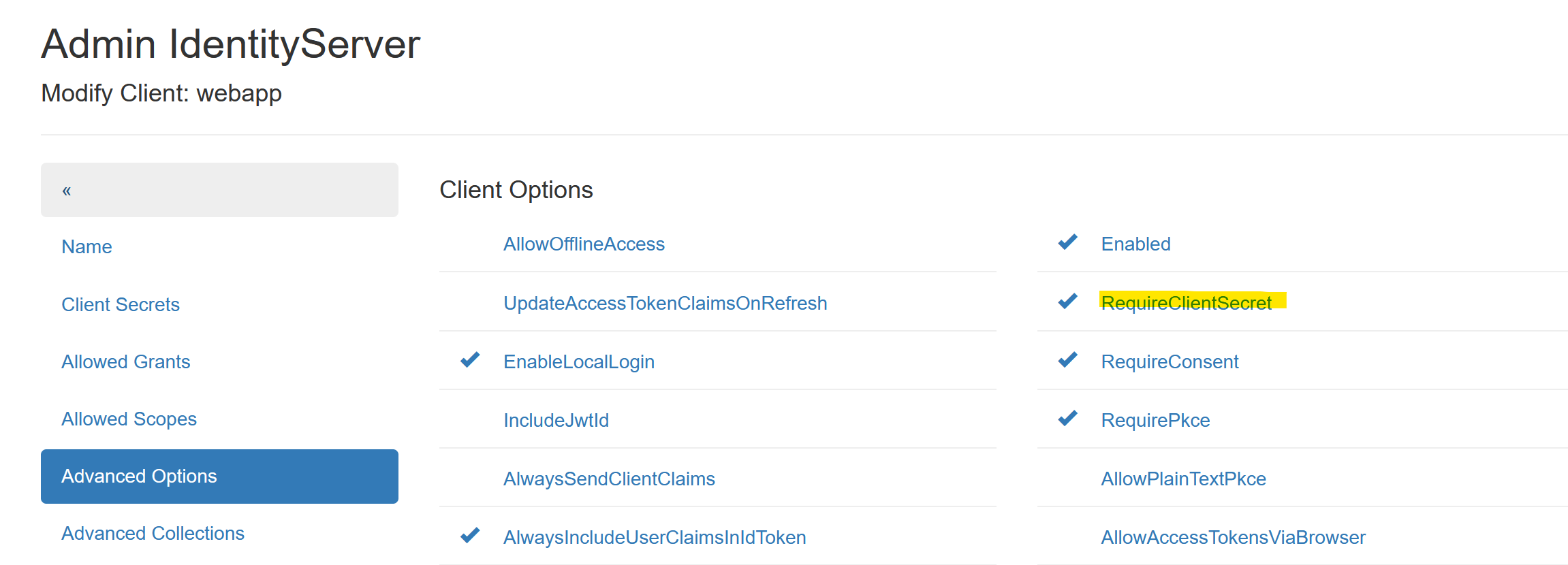
If the option RequireClientSecret is not set, a Client does not need to provide a Secret.
Note
Not setting this option should only be done for Web Applications. In this case,
Redirect Urls can be added under the Advanced Collections menu:
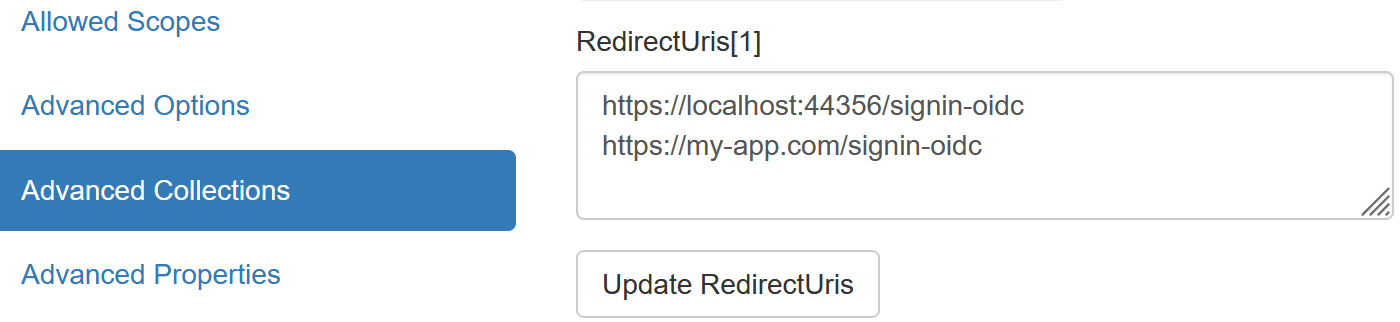
Since the login process in OpenId Connect is only possible if it can redirect to one of these URLs, a Web Application Client is essentially secure.
Note
API Clients should never be allowed to retrieve an AccessToken without a Secret!
Shared Secrets
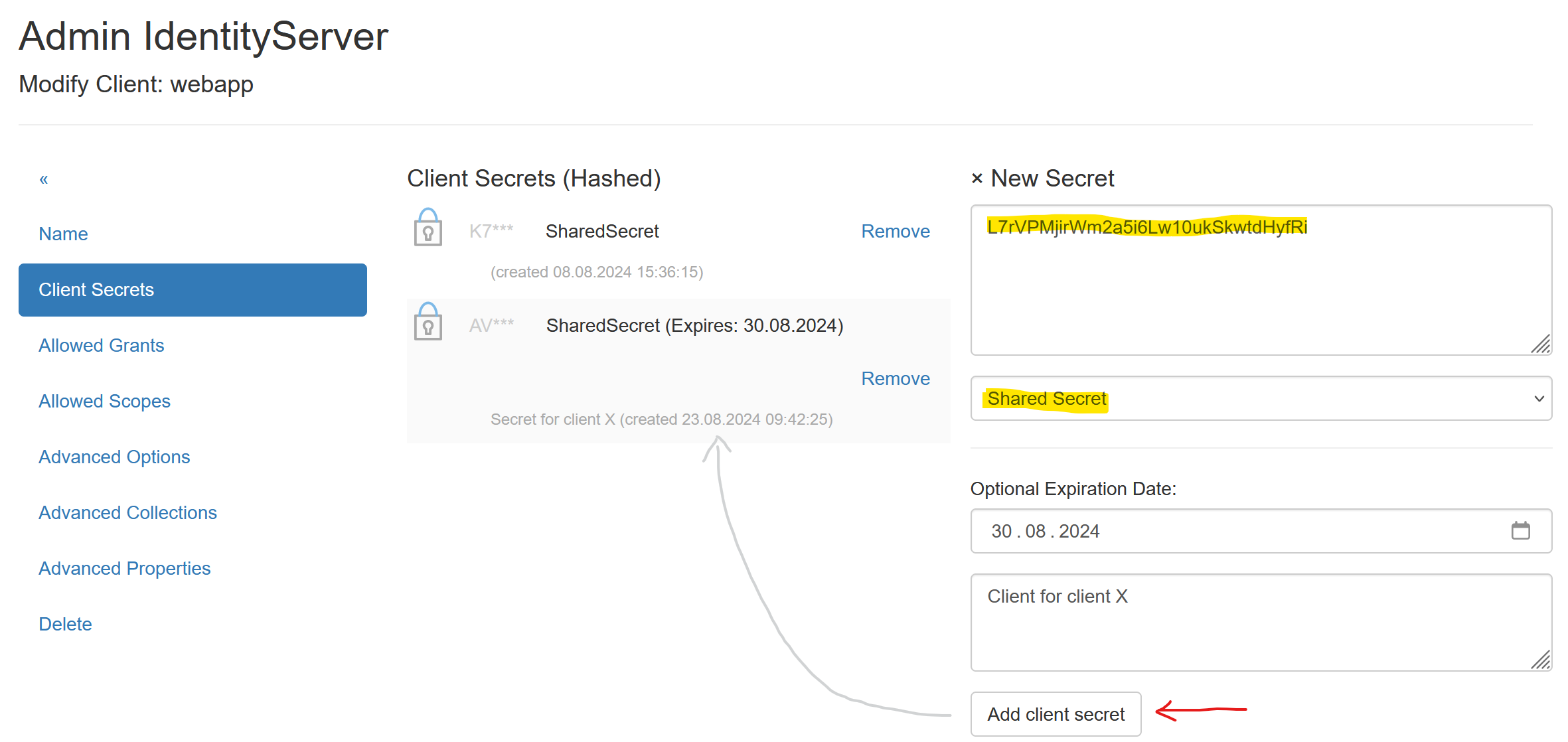
The simplest type of secrets are Shared Secrets, which are essentially
passwords (text):
Note
Multiple Secrets can be specified for a Client. A Client must provide exactly one matching Secret from those listed here.
Note
Secrets can have an expiration date (optional: Expire Date). This can be useful
if a client should only have access to an API for a limited time.
To create secure Secrets, you can use the Random Secret Generator
provided on the page:
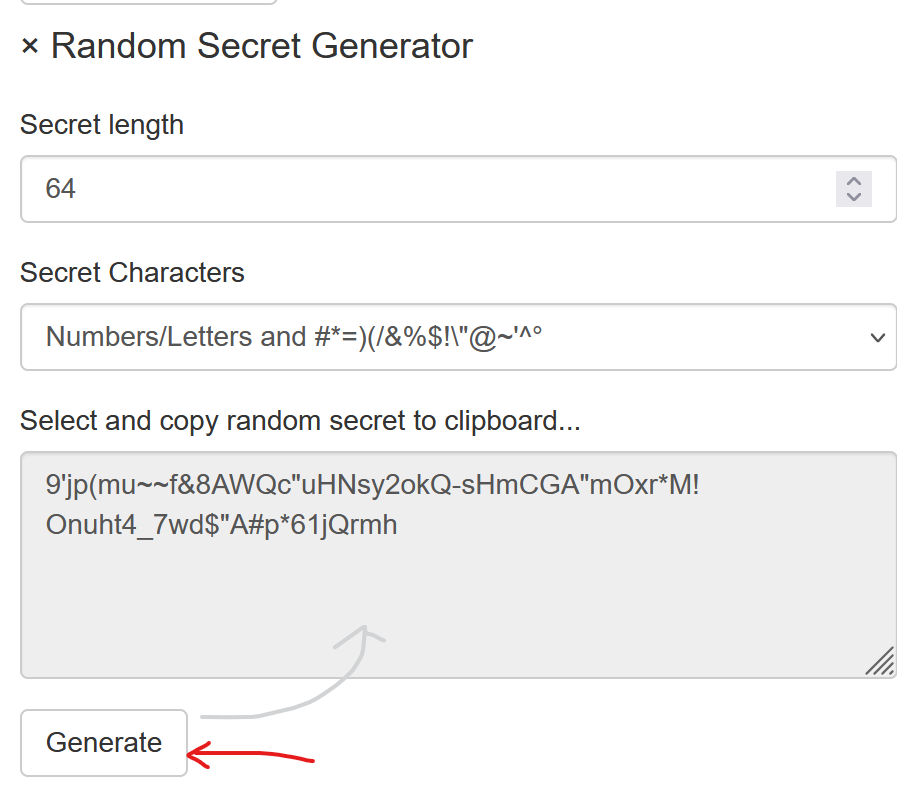
The generated password can be copied from the text field and pasted into the
Shared Secret input field.
X509 Certificate
Clients can also be secured with certificates. Self-signed certificates, as described in the previous section, can be used for this.
To secure a Client with a certificate, the following files are required:
PFX file: Contains the public and private keys and can optionally be protected with a password. This certificate is used by the Client to retrieve an AccessToken.
CRT file: Public key (text format). This certificate is stored on the IdentityServerNET as a Secret.
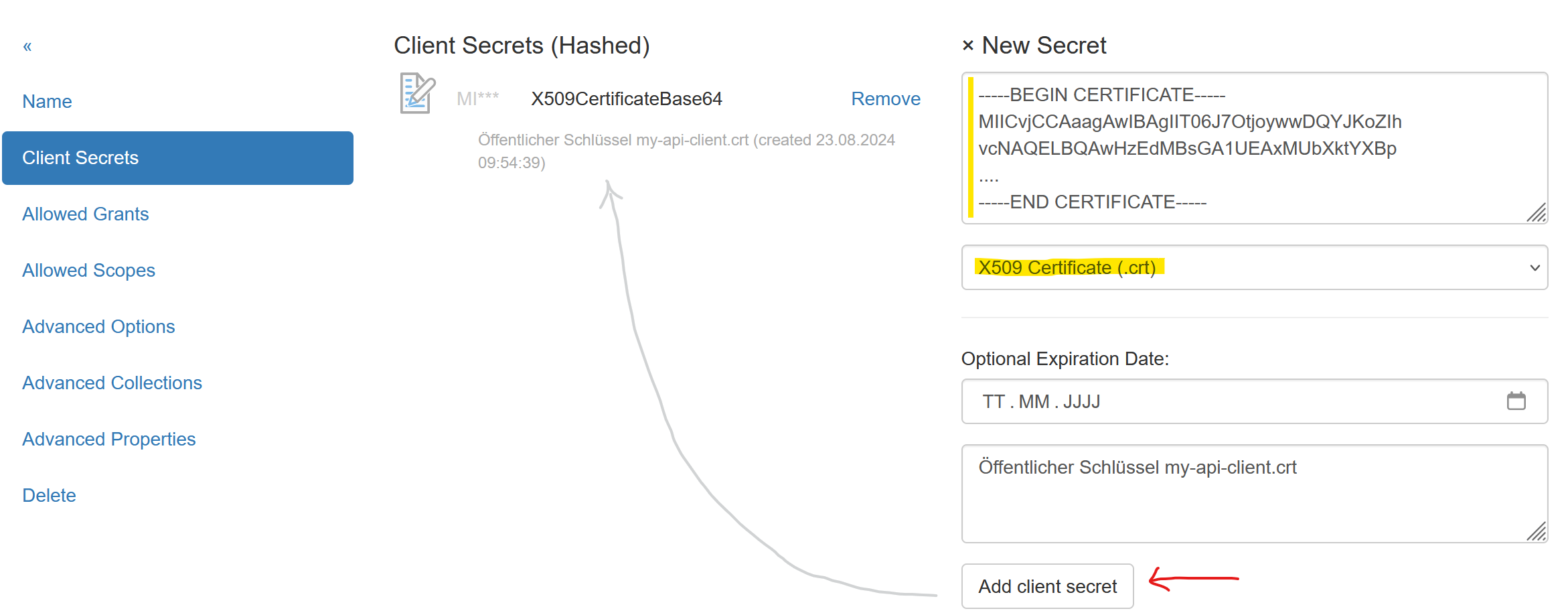
The CRT file must be opened with a text editor, and the contents copied into the input field.
Set the Secret type to X509 Certificate (.crt).
Client Access
A Client must first read the certificate:
var cert = new X509Certificate2(@"my-api-client-secret.pfx", "password");
This certificate can then be passed to various methods from the NuGet package
IdentityServerNET.Clients instead of a Shared Secret.
var tokenClient = new IdentityServerNET.Clients.TokenClient("my-api-commands", cert);
await tokenClient.GetAccessToken("https://localhost:44300", []);

var accessToken = tokenClient.AccessToken;
Secrets Vault
In the Secrets Vault (see previous section), Secrets can be stored centrally. Authorized Clients can retrieve Secrets through the Secret Value API.
To avoid maintaining Secrets in multiple places, Secrets for Clients can be set to point directly to the Secrets Vault. If a Secret is changed in the Secrets Vault, it does not need to be updated again under the Client’s Secrets.
Instead of the actual Secret, the path of the Secret in the Secrets Vault is entered:
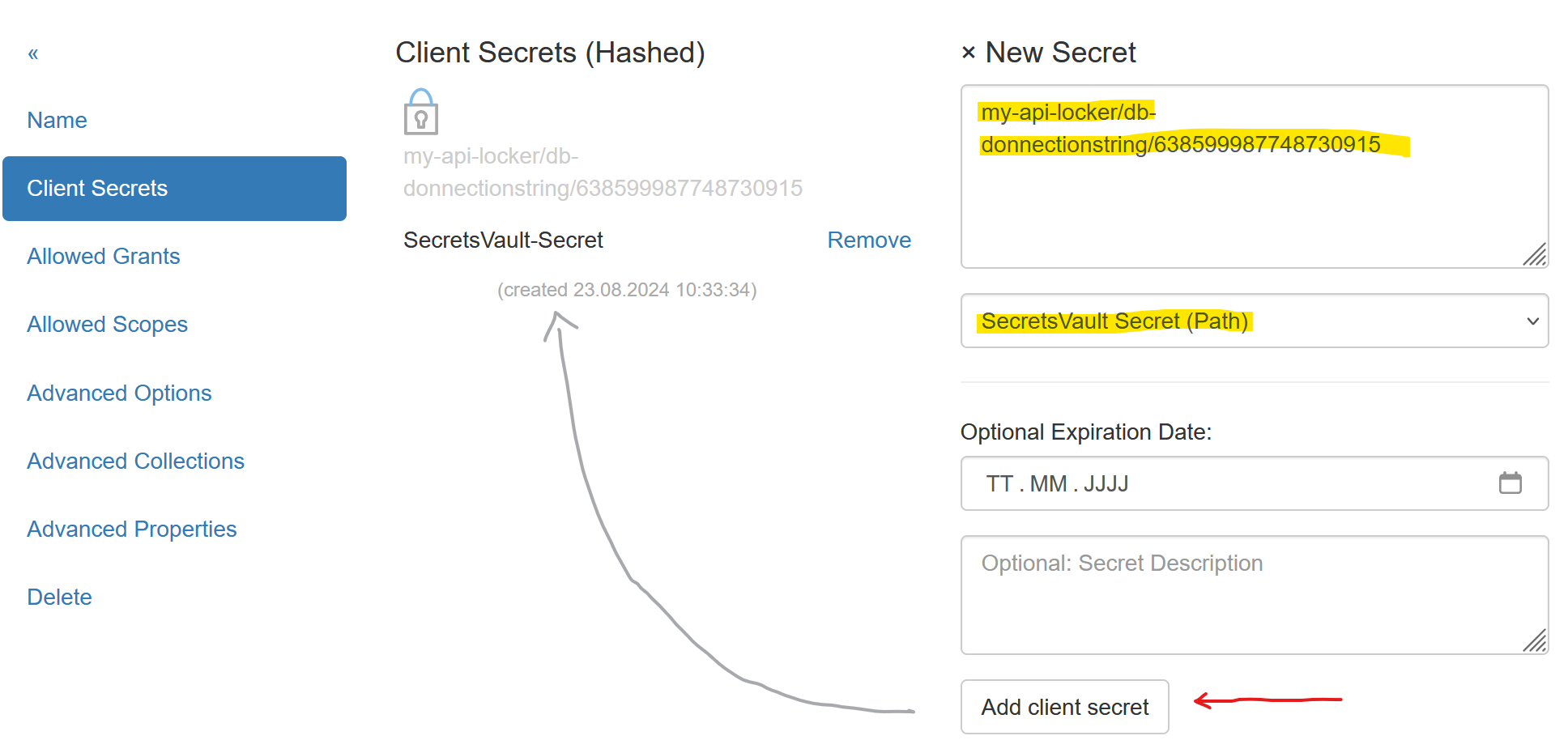
To find the path for a Secret, navigate to the Secrets Vault as an administrator and click on the desired version of a Secret. The browser will display a JSON, which includes the correct path for the Secret:
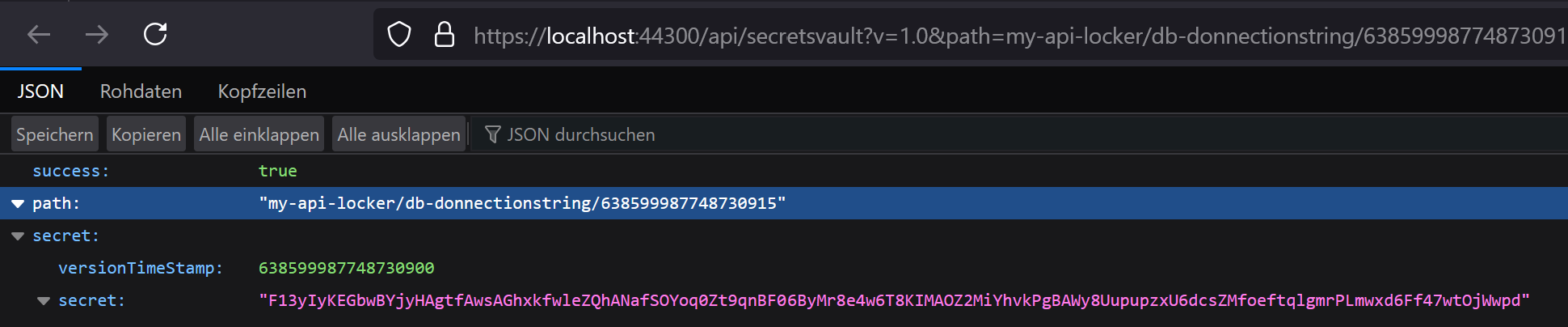
Note
Either a specific version or the latest created version of a Secret can be referenced
in the path. To reference the latest version, omit the version number from the path, e.g.:
my-api-locker/db-connectionstring
Client Access
Access to the Secrets Vault was already described in the Secrets Vault chapter. Here is the example again, assuming the API Client is secured for the Secrets Vault API with a certificate.
A Client must first read the certificate:
var cert = new X509Certificate2(@"my-api-client-secret.pfx", "password");
This certificate can then be passed to various methods from the NuGet package
IdentityServerNET.Clients instead of a Shared Secret.
var secretsVaultClient = new IdentityServerNET.Clients.SecretsVaultClient("my-api-secrets", cert);
await secretsVaultClient.OpenLocker("https://localhost:44300", "my-api-locker");
var secretResponse = await secretsVaultClient.GetSecret("db-connectionstring");

Console.WriteLine(secretResponse.GetValue());
In this way, a Client application can be developed where no sensitive data is stored in the configuration. All Secrets are stored in the Secrets Vault. The only secret required for the client is the optional certificate password (this can theoretically be hardcoded).
The certificate can be rotated regularly by following these steps:
Create a new certificate (possibly with the same password).
Update the content of the CRT file for the Secrets Vault Client.
Update the PFX file for the Client application.