Creating Self-Signed Certificates
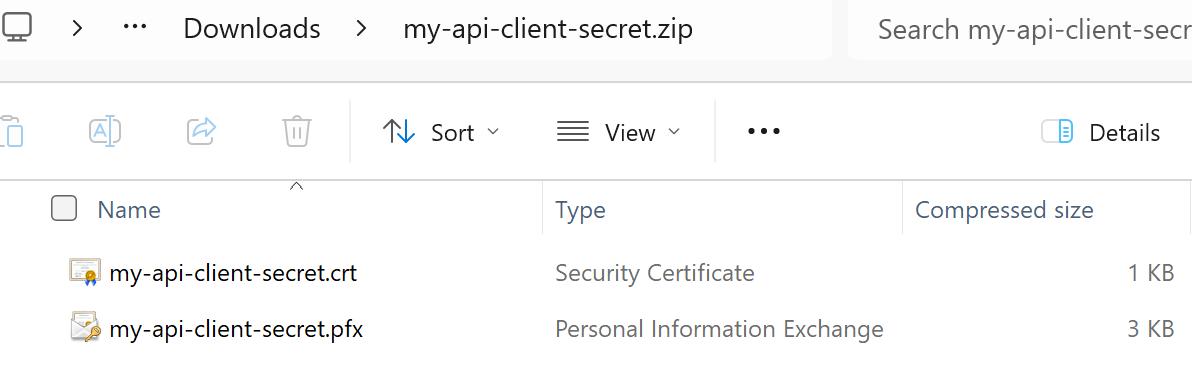
IdentityServerNET provides an admin tool to create self-signed certificates. The result is a ZIP file with the following content:
{cert-name}.pfx: The certificate as a PFX file
{cert-name}.crt: The public key of the certificate as a CRT file
Note
CRT files can be opened in a text editor and have the following format:
-----BEGIN CERTIFICATE-----
MIICsDCCAZigAwIBAgIIHFgs7XAI8jgwDQYJKoZIhvcNAQELBQAwGDEWMBQGA1UEAxMNY2xpZW50
LXNlY3JldDAeFw0yNDA4MjMwNTA0NThaFw0yNTA4MjMwNTA0NThaMBgxFjAUBgNVBAMTDWNsaWVu
...
-----END CERTIFICATE-----
One common use of a self-signed certificate is as a secret for clients.
To create a certificate, go to the Create Certs section on the Admin page:
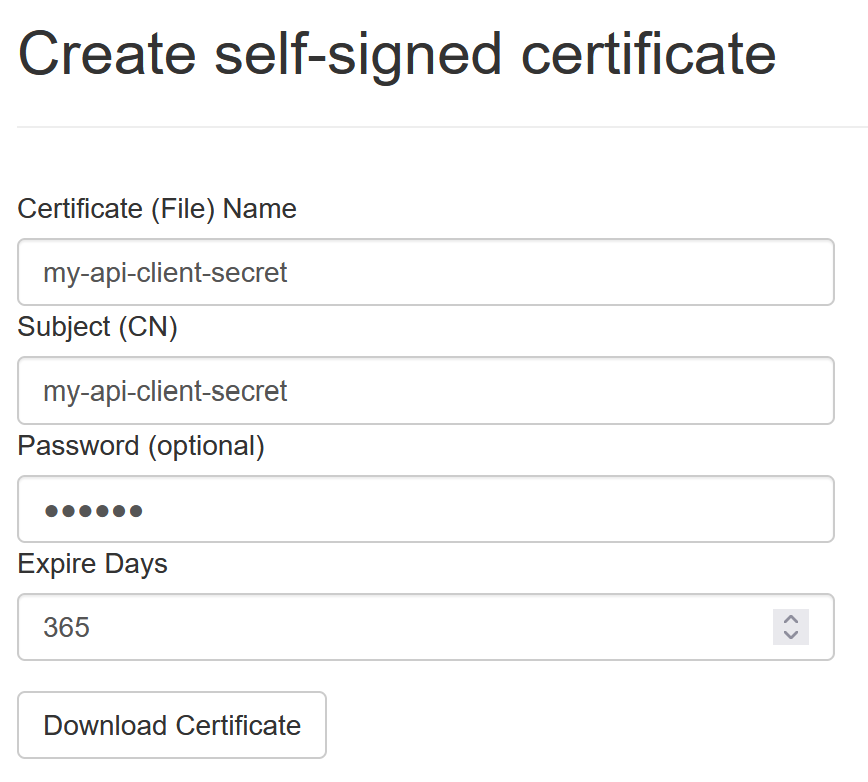
Certificate (File) Name: A name for the certificate. This corresponds to the ZIP file name and the names of the individual files.
Subject (CN): The subject of the certificate (CN=…). This name appears in the certificate.
Password: An optional password for the certificate. The PFX file can only be opened with this password.
Expire Days: The number of days after which the certificate expires.
Clicking on Download Certificate downloads a ZIP file with the following content: