Secrets Vault
The Secrets Vault is used for centralized storage of secrets such as:
Connection strings
Passwords
Client secrets
Secrets are assigned to lockers. An application, for example, is granted access to a locker and can retrieve the secrets it contains. Multiple versions can be created for each secret. If a connection string changes, for instance, a new version can be created for a secret. Once all clients have switched to the new version of the connection string, the old version can be deleted.
Note
Ideally, one locker should be created per client. A locker should contain only the secrets relevant for the client.
Note
When retrieving a secret, the version can also be omitted. However, in this case, it is important to remember that the client will always access the most recently created version. When a new version is created, the client will retrieve the new version upon the next request!
To manage the Secrets Vault, click on the appropriate tile on the Admin page.
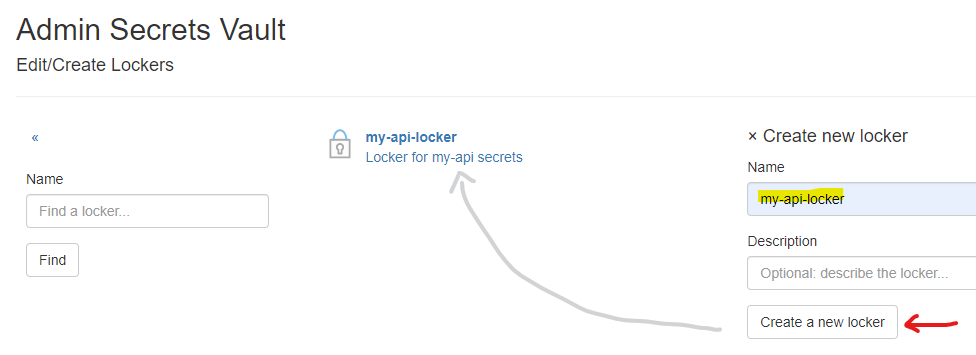
Creating a Locker
A new locker is created using the Create new locker form:
Creating a Secret
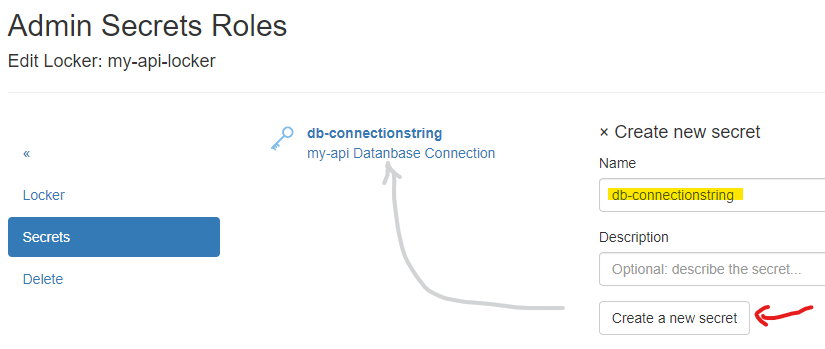
To create a secret within a locker, open the Secrets menu in the corresponding locker and use
the Create new secret form to add a new secret. Only the name and an optional description of the secret are required:
Creating Secret Versions
To assign a value to a secret, versions must be created. To do this, select the secret from the list
and go to the Versions menu:
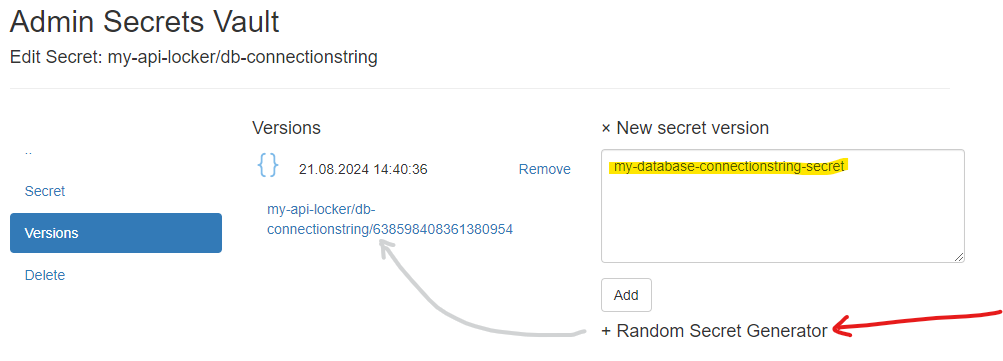
The newly created version of the secret appears in the list. If further versions are created, the most recent version is always shown at the top. Multiple versions are useful if, for example, a connection string changes due to a new database server. A new version can be created here, and clients can be gradually updated to use the new database. Old versions can then be deleted.
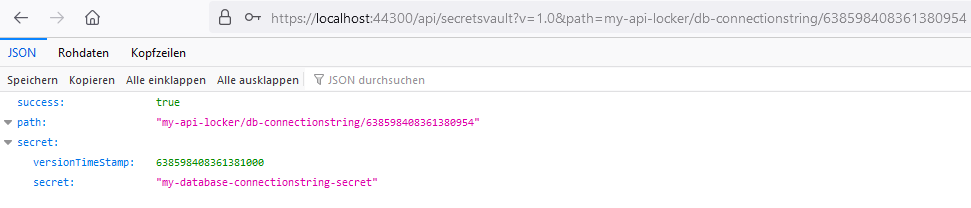
Clicking on the link displayed for the version opens a JSON in the browser:
Note
The last part of the URL is the versionTimeStamp. This can be omitted when retrieving a secret version.
This will return the most recently created version.
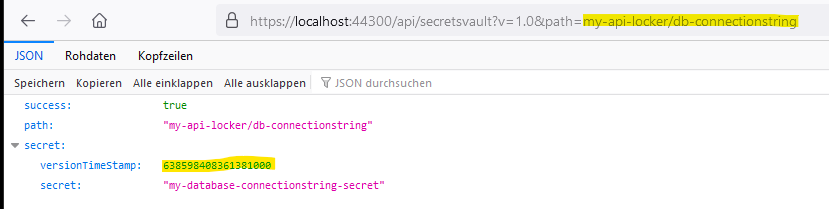
Retrieving a Secret
Secrets can be retrieved using the method shown above (clicking the link). However, this link is only accessible to administrators with browser access. If a non-administrator attempts to open this link in the browser, they will be redirected to the login page.
Clients can access secrets by passing a Bearer Token. The following steps are necessary to obtain a valid token:
Creating API Resources
IdentityServerNET provides an API for retrieving secrets (https://…/api/api/secretsvault?v=1.0&path={secret-version-path}).
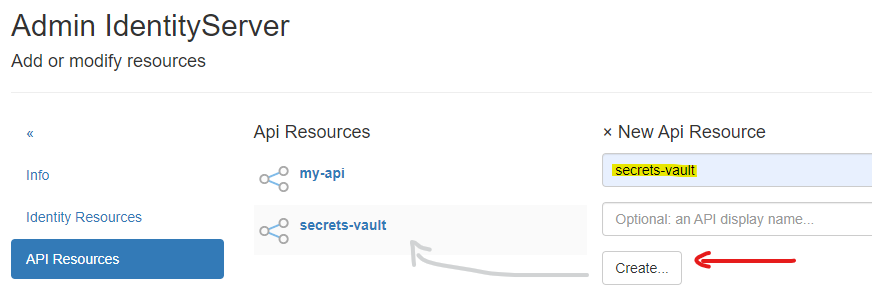
To use this API, the necessary API resources must first be created. To do this, go to the Resources (Identities & APIs)
section on the Admin page, then select API Resources. If not yet created, the secrets-vault API resource must be created here:
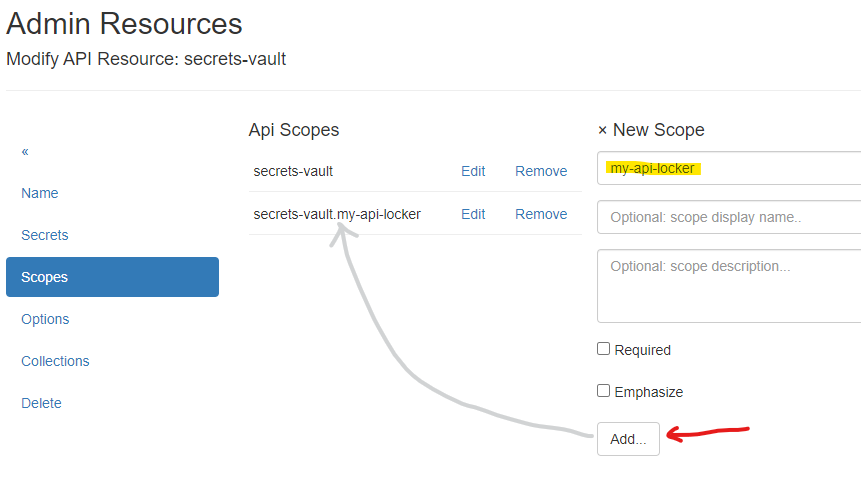
Under Scopes, add a scope with the name of the locker to the resource:
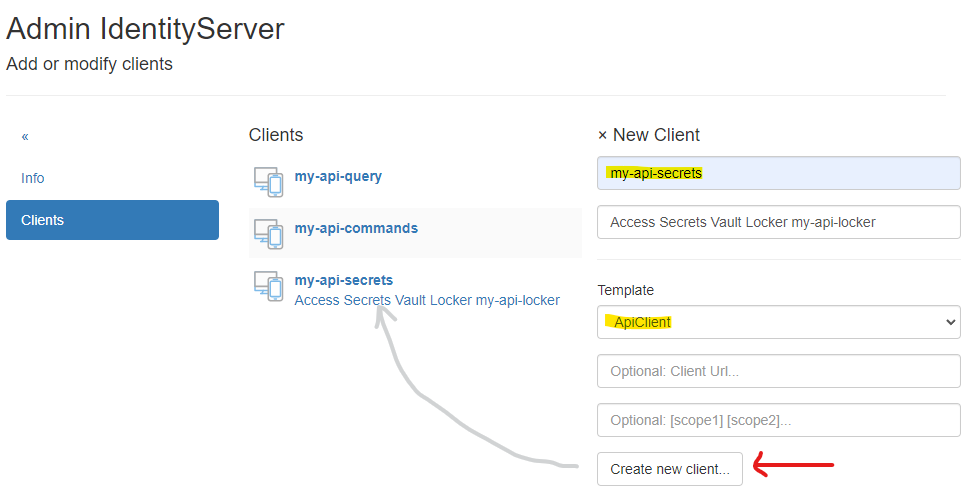
Creating a Client
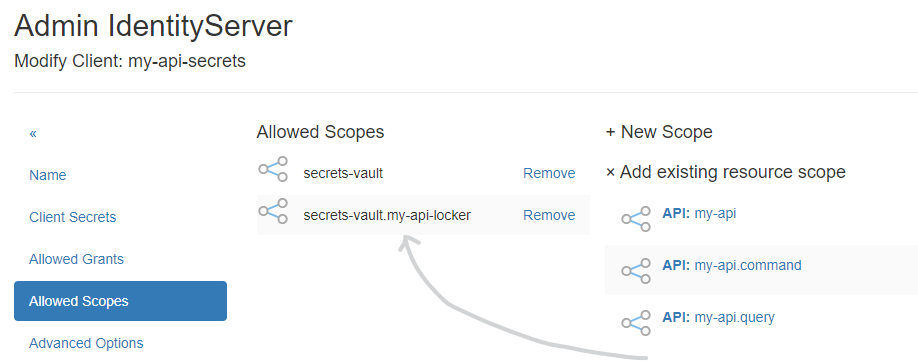
To allow a client to access the locker, go to the Clients section on the Admin page and create an API client there:
Under Client Secrets, assign a secret that the client will later use to obtain a token.
Under Scopes, add the scopes secrets-vault and secrets-vault.{locker-name} from the Add existing resource scope section:
Retrieving a Secret via HTTP Request
First, obtain a valid Bearer Token:
POST https://localhost:44300/connect/token
Content-Type: application/x-www-form-urlencoded

grant_type=client_credentials&
client_id=my-api-secrets&
client_secret=secret&
scope=secrets-vault secrets-vault.my-api-locker
If an Access Token is returned, it can be used to retrieve the secret:
GET https://localhost:44300/api/secretsvault?v=1.0&path=my-api-locker/db-connectionstring
Authorization: Bearer eyJhbGciOiJSUzI1NiIsImtpZCI6IkR...
Note
In this example, no version was specified in the path. To retrieve a specific version, add it to the path, e.g., https://localhost:44300/api/secretsvault?v=1.0&path=my-api-locker/db-connectionstring/{version}
Retrieving a Secret via IdentityServerNET.Clients
The NuGet package IdentityServerNET.Clients provides the following methods
to access the Secrets API:
dotnet add package IdentityServerNET.Clients
var secretsVaultClient = new IdentityServerNET.Clients.SecretsVaultClient("my-api-secrets", "secret");
await secretsVaultClient.OpenLocker("https://localhost:44300", "my-api-locker");
var secretResponse = await secretsVaultClient.GetSecret("db-connectionstring");

Console.WriteLine(secretResponse.GetValue())