Payload Signing
With Payload Signing, any payload (dictionary) can be packaged into a JWT token. The token can be created either through the Admin page or via an API call from an authorized client.
Creating a JWT Token via the Admin Page
To create a JWT token as an administrator, navigate to the Sign Payload UI section on the Admin page.
Here, a payload (dictionary) can be entered as JSON to generate a token:
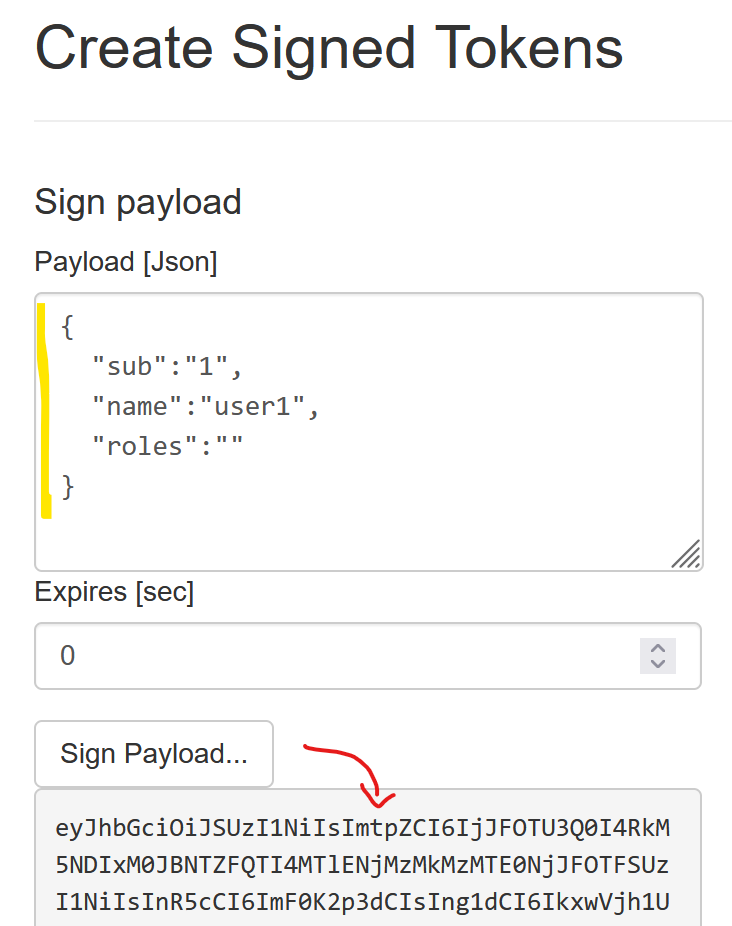
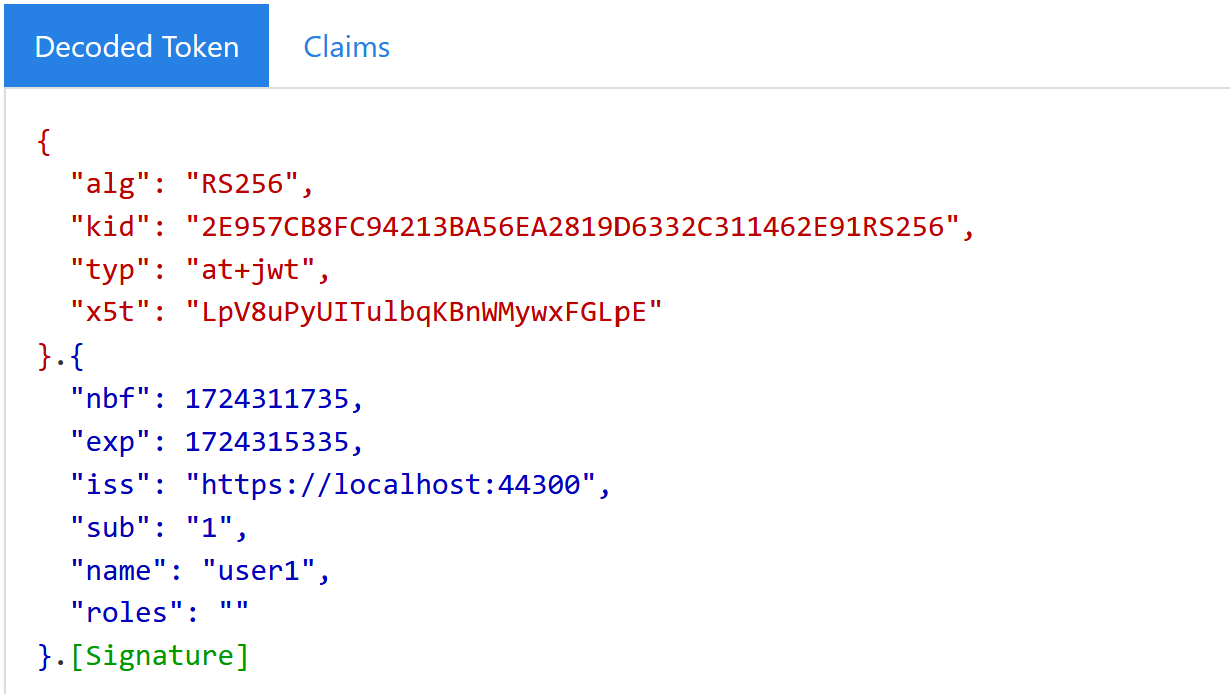
The generated token will contain the following information:
Creating a JWT Token via the Signing API
The Signing API allows an authorized client to create JWT tokens with a custom payload. The following prerequisites must be met:
Setting up the API Resource
First, the API resource must be set up (if not already configured).
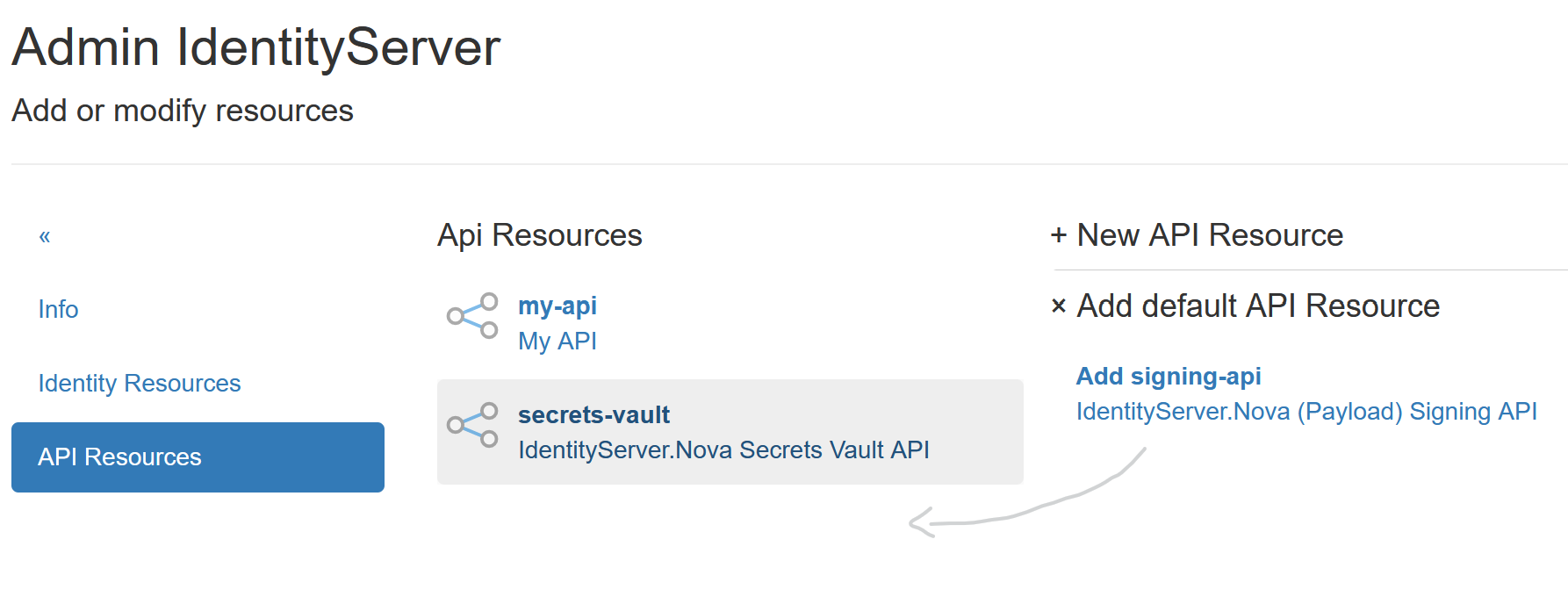
To do this, go to the Resources (Identity & APIs) section on the Admin page and select API Resources.
Here, an API resource with the name signing-api must be created. If this resource does not yet exist,
it can be added conveniently via the Add default API Resource option:
Note
Under Scopes, the API resource should have a scope named signing-api.
This scope should be created automatically when adding the resource. If not, it must be added manually.
Creating an API Client
Next, a client with access to the Signing API must be created.
Go to the Clients section on the Admin page and create an API client:
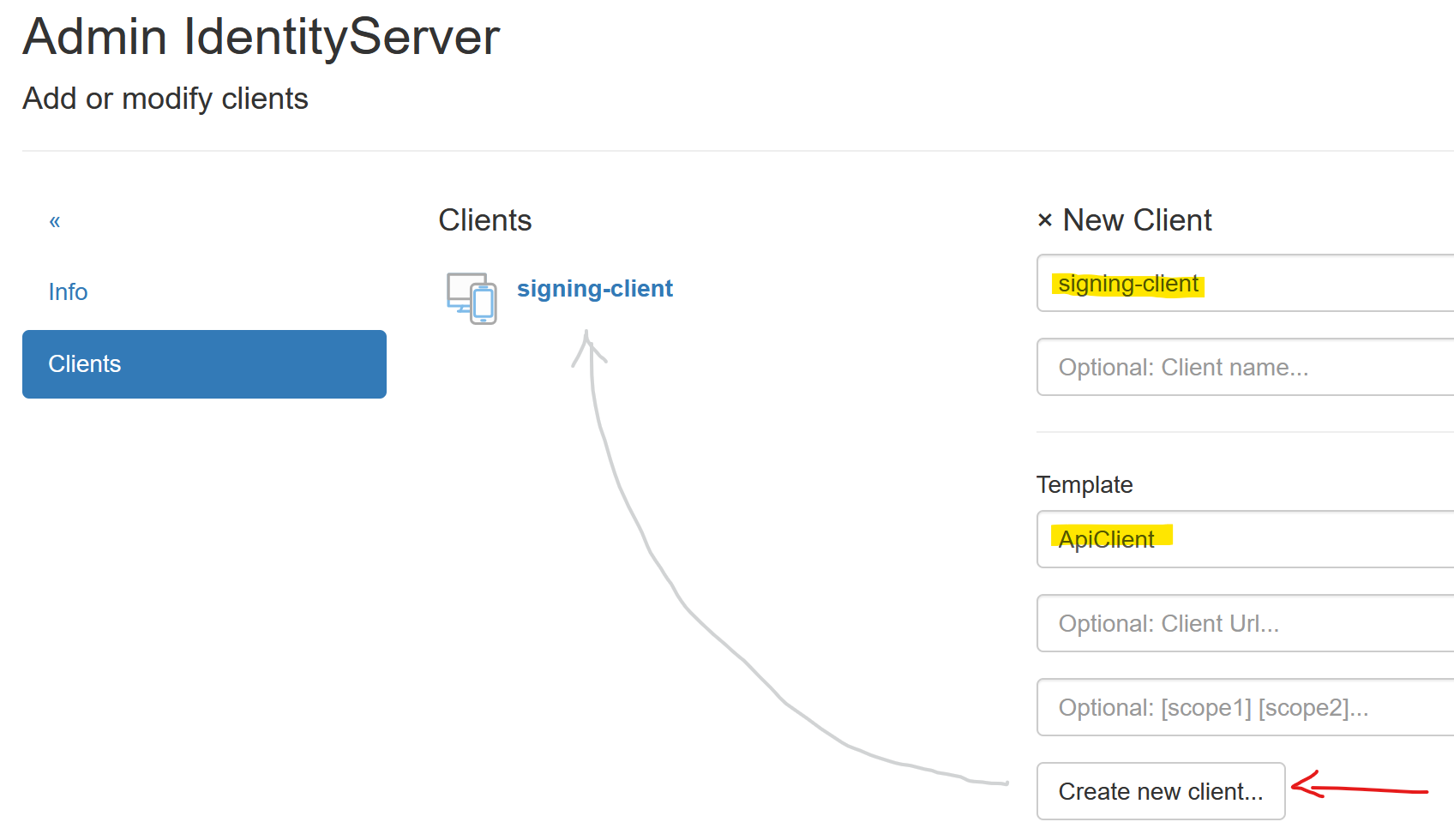
For this client, a secret must be assigned under Client Secrets; the client will later use this secret
to retrieve a token.
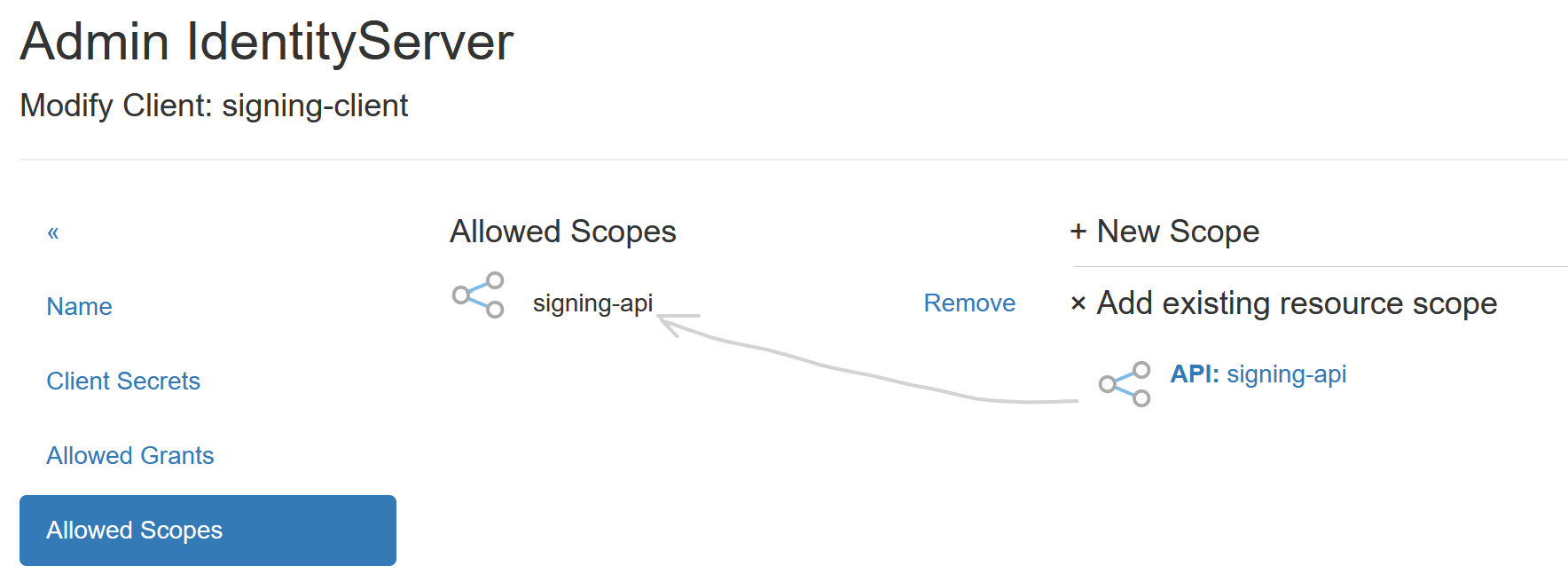
Under Scopes, add the API scope signing-api to this client:
Creating a Token via HTTP Request
First, a valid Bearer token must be retrieved:
POST https://localhost:44300/connect/token
Content-Type: application/x-www-form-urlencoded

grant_type=client_credentials
&client_id=signing-client
&client_secret=secret1
&scope=signing-api
If an access token is returned, it can be used to create the token as follows:
POST https://localhost:44300/api/signing
Authorization: Bearer eyJhbGciOiJSUzI1N...
Content-Type: application/x-www-form-urlencoded

name=doc1
&hash=1234567890
Retrieving a Token via IdentityServerNET.Clients
The NuGet package IdentityServerNET.Clients provides the following methods
to access the Signing API:
dotnet add package IdentityServerNET.Clients
using IdentityServerNET.Clients;

// ...

string issuerAddress = "https://localhost:44300",
       clientId = "signing-client",
       clientSecret = "secret";

var singingApiClient = new SigningApiClient(clientId, clientSecret);
var signingResponse = await singingApiClient.SignData(issuerAddress, new NameValueCollection()
{
    { "name", "doc1" },
    { "hash", "1234567890" }
});

if (signingResponse.Succeded == false)
{
    throw new Exception($"Signing response error: {signingResponse.ErrorMessage}");
}

var token = signingResponse.SecurityToken
Token Validation
A token from the Signing API can be passed to an application. This application can
verify the token’s validity and query individual claims. .NET Core provides various
methods for this purpose, and some methods are also included in the NuGet package
IdentityServerNET.Clients.
string issuerAddress = "https://localhost:44300",
       token = "...",

// Validate a token and get a claim

var hash = await SigningApiClient.GetValidatedClaimFromToken(
            token,
            issuerAddress,
            "hash"
        );
// or
var dictionay = await SigningApiClient.GetValidatedClaimsFromToken(
            token,
            issuerAddress,
            ["name", "hash"]
        );