Variables and environments
Many workflows need the same values: a database server, a share, the URL of an API. Variables hold them in one place, and environments (for example TEST and PROD) choose which value applies. A workflow can then run against the test database without changing any node.
Environments
The administrator lists the environments in the configuration. DEFAULT always exists. The instance runs in exactly one of them; that is set by the administrator and can't be changed in the app.
Groups and workflows set an environment or inherit it (the default):
- the environment of the workflow, if it sets one,
- otherwise the environment of its group, if that sets one,
- otherwise the environment of the instance.
The result is the effective environment. The workflow list shows it as a colored badge (PROD red, STAGE orange, TEST blue, DEFAULT gray). A badge that is only outlined is inherited; its tooltip names where from. Group tiles show the environment of the group the same way.
Moving a workflow into another group can change an inherited environment. The app then asks before it moves the workflow ("runs in PROD instead of TEST").
Variables
Variables are defined on three levels, each with one value per environment:
| Level | Where |
|---|---|
| Instance | Variables in the menu bar, and the configuration of the administrator. |
| Group | Edit in the menu of the group tile. |
| Workflow | The workflow panel of the editor (select no node). |
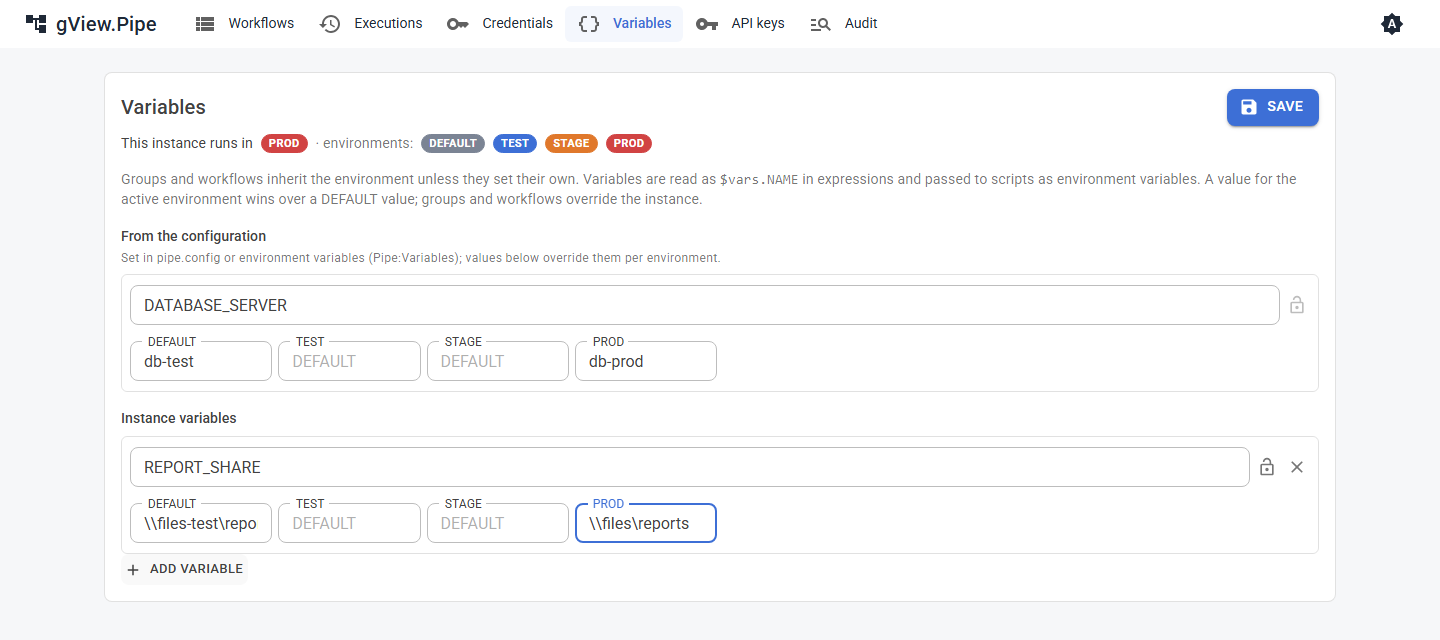
Names use upper-case letters, digits and _ (DATABASE_SERVER). The prefix PIPE_ is reserved. An empty value means "not set here".
Which value applies
For the active environment, say PROD:
- a
PRODvalue on the workflow, the group or the instance, the lowest level first; - otherwise a
DEFAULTvalue on the workflow, the group or the instance, the lowest level first.
So a PROD value of the instance wins over a DEFAULT value of the workflow. Overriding a value per environment needs a value for that environment.
Example: the instance has DATABASE_SERVER = db-test for DEFAULT and db-prod for PROD. Workflows running in PROD get db-prod, all others db-test.
Using variables
- In expressions:
{{ $vars.DATABASE_SERVER }}.{{ $environment }}is the environment of the run. Reading a variable that isn't defined stops the node with an error that names the variable and the environment. - In scripts: Run Script, Run Scripts Folder and Run Scripts Repo get all variables as environment variables, plus
PIPE_ENVIRONMENT. The Environment variables of the node override them.
Secret variables
The lock next to the name marks a variable as secret. Its values are stored encrypted, shown as password fields and replaced by *** in logs, error messages and script output. Passwords and keys still belong in credentials where a node supports one.
Running in another environment
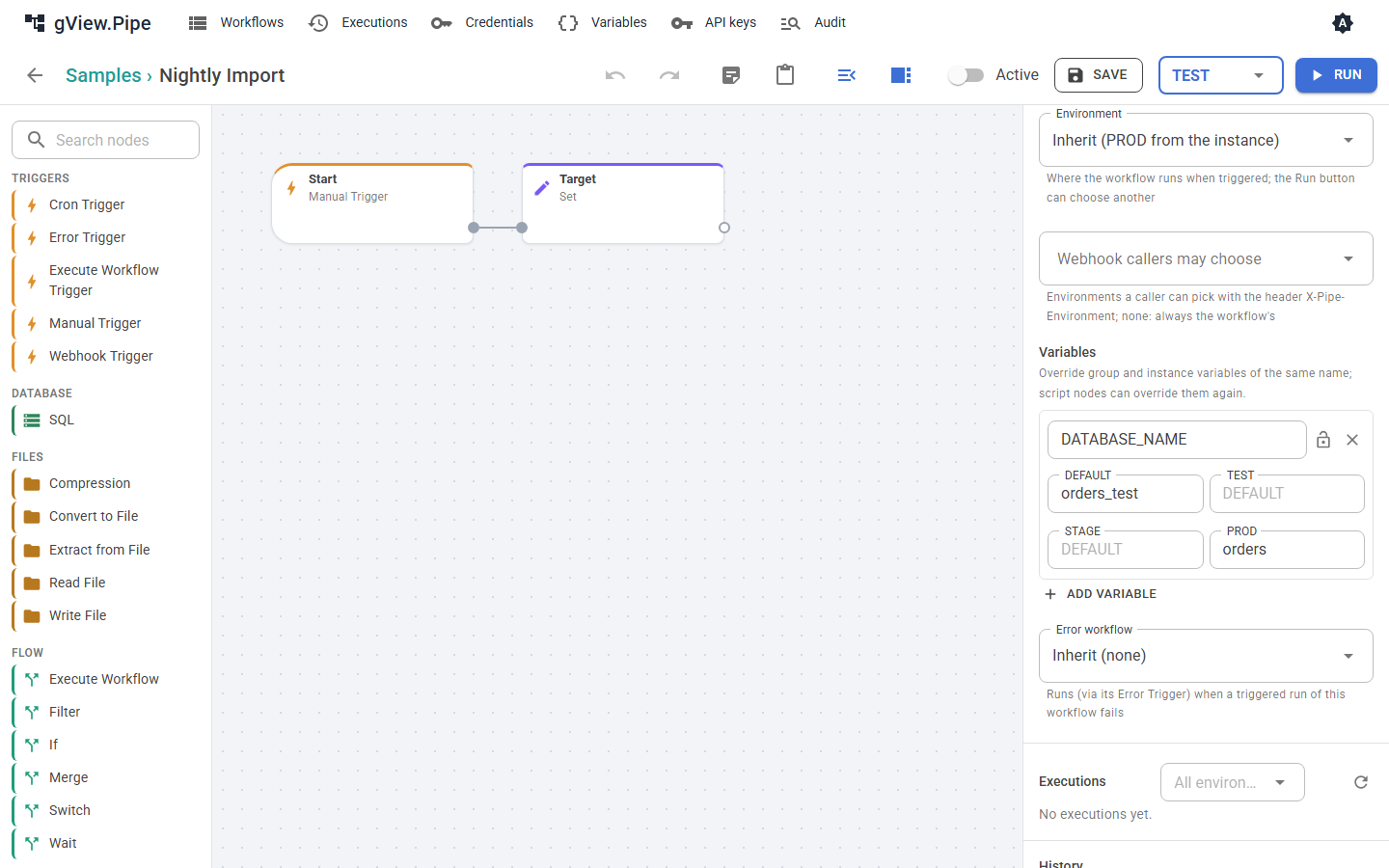
- Run in the editor: the field next to the button chooses the environment of manual runs. It starts at the effective environment, marked (saved). Another choice is outlined in its color and applies only to runs from the editor; it isn't saved.
- Schedules (Cron Trigger) always run in the effective environment.
- Webhooks run in the effective environment. A caller may choose another one with the header
X-Pipe-Environment: TEST, but only one listed under Webhook callers may choose in the workflow panel. Any other gets400, see Triggers and webhooks. - Sub-workflows and error workflows run in the environment of the run that started them, so a test run never reaches production data through Execute Workflow.
Each execution records its environment. The executions list of the workflow shows it and can filter by it.