Authentication
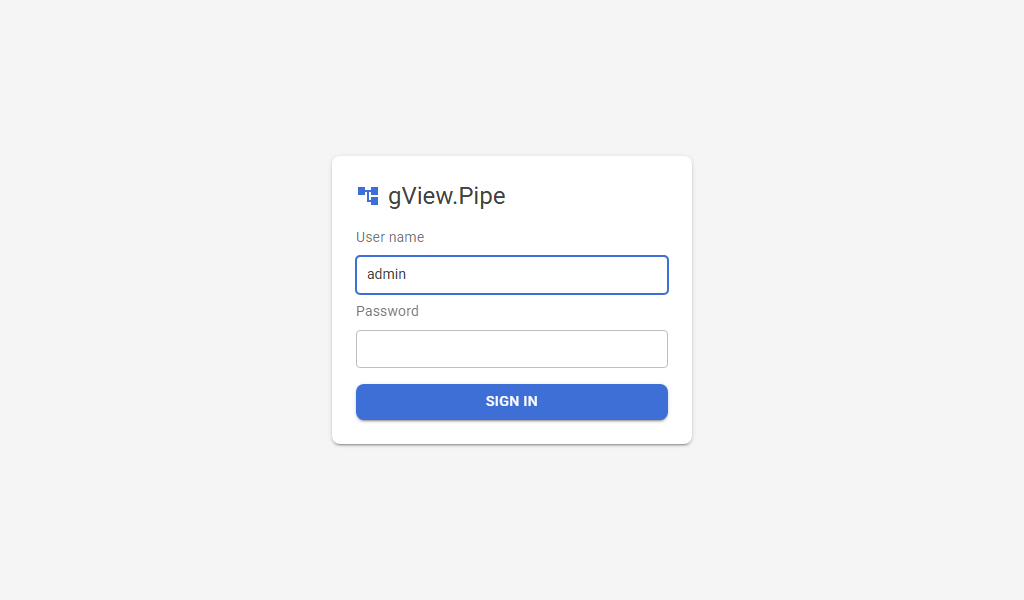
gView.Pipe has three login modes. You choose one per instance in _config/auth.config:
| Mode | Meaning |
|---|---|
none |
No login (default). Everyone who can reach the address may use the app. Use it only on localhost or a protected network. |
forms |
A login form with users from the configuration. |
oidc |
Login at an identity provider with OpenID Connect, for example IdentityServer.NET. |
The login protects the user interface. Webhooks and the documentation under /docs stay reachable without a login; protect webhooks with a credential (see Security). Whoever is signed in may do everything.
The file auth.config
On the first start the app creates _config/auth.config from the prototype _setup/proto/auth.config, next to pipe.config (see Configuration). Environment variables override it, for example Pipe__Auth__Mode=forms.
| Setting | Default | Meaning |
|---|---|---|
Pipe:Auth:Mode |
none |
none, forms or oidc. |
Pipe:Auth:SessionMinutes |
480 |
Minutes without a request until the login expires. Every request extends it. |
Pipe:Auth:UseForwardedHeaders |
false |
Trust the X-Forwarded-For/-Proto/-Host headers of a reverse proxy. Needed for OIDC behind a proxy that terminates https. |
Pipe:Auth:Users |
Users of the forms mode, see below. |
|
Pipe:Auth:LoginAttemptsPerMinute |
10 |
Login attempts per minute and client address; more are answered with 429. |
Pipe:Auth:Oidc:* |
Settings of the oidc mode, see below. |
Forms: fixed users
{
  "Pipe": {
    "Auth": {
      "Mode": "forms",
      "Users": [
        { "Name": "admin", "PasswordHash": "pbkdf2-sha256$210000$..." },
        { "Name": "editor", "Password": "plain text" }
      ]
    }
  }
}
-
PasswordHashis preferred. Create it with the app itself:dotnet gView.Pipe.Shell.dll --hash-password "my password" -
Passwordin plain text works too, but logs a warning on every start. If both are set, the hash counts. Email(optional) is the address for mails to the user, e.g. when a run of the portal is done.Email(optional) is the address for mails to the user, e.g. when a run of the portal is done.- User names are not case sensitive.
- After a wrong password the app waits a second; the number of attempts per address is limited.
Docker: the admin password as a variable
docker run -d --name gview-pipe -p 8080:8080 \
  -v gview-pipe-data:/app/data \
  -e PIPE_ADMIN_PASSWORD=change-me \
  ghcr.io/jugstalt/gview-pipe:latest
PIPE_ADMIN_PASSWORD sets the password of the user admin (another name with PIPE_ADMIN_USER). It replaces that user from auth.config, keeps the other users and switches the mode none to forms.
OIDC: identity provider
{
  "Pipe": {
    "Auth": {
      "Mode": "oidc",
      "Oidc": {
        "Authority": "https://login.example.com",
        "ClientId": "gview-pipe",
        "ClientSecret": "secret",
        "Scopes": [ "openid", "profile", "role" ],
        "RoleClaimType": "role",
        "NameClaimType": "name",
        "RequiredRoles": [ "gview-pipe" ]
      }
    }
  }
}
| Setting | Default | Meaning |
|---|---|---|
Authority |
Address of the identity provider. Required. | |
ClientId |
Client id at the provider. Required. | |
ClientSecret |
Secret of the client; leave it empty for a public client. In Docker: Pipe__Auth__Oidc__ClientSecret. |
|
Scopes |
openid profile role |
Requested scopes. |
RoleClaimType |
role |
Claim with the roles of the user. |
NameClaimType |
name |
Claim shown as the user name. |
RequiredRoles |
(empty) | The user needs one of these roles. Empty: every user of the provider may enter. |
RequireHttpsMetadata |
true |
Set it to false only for a test provider without https. |
The app uses the authorization code flow with PKCE. Register at the provider:
- the redirect URI
https://<app>/signin-oidc, - the post logout redirect URI
https://<app>/signout-callback-oidc.
A user without one of the required roles sees a No access page with a Sign out button. Signing out also ends the session at the provider, so another account can sign in.
Behind a reverse proxy that terminates https, set UseForwardedHeaders to true, or the redirect URIs start with http:// (see Operations).
Testing with the IdentityServer.NET of the AppHost
The AppHost starts IdentityServer.NET at https://localhost:8443 (ADD_IDENTITYSERVER, admin admin@is.net with the password admin) with the client local-gview-pipe/secret for https://localhost:7240. Windows must trust its self-signed certificate (import it into the user's trusted root certificates), or the browser and the app reject it. In its admin UI (https://localhost:8443/admin):
- Create the role
gview-pipe(Roles). - Create a user with this role and one without it (Users, then User Roles).
- Set
Modetooidcin_config/auth.config; the prototype already contains the settings of this client.
The user with the role can work; the other one sees No access.
The AppHost already creates users for this (password in brackets), all with the role gview-pipe: pipe-viewer@is.net (viewer), pipe-operator@is.net (operator), pipe-editor@is.net (editor) and pipe-admin@is.net (admin), and pipe-samples@is.net (samples), who is a viewer in general and an editor in the group Samples only. It also maps their roles (pipe-viewers, pipe-operators, pipe-editors, pipe-admins and pipe-samples-editors as editor@samples) to the roles of the Shell, so you only switch the mode on: uncomment #define PIPE_OIDC at the top of AppHost.cs (it sets Mode, the provider and the client for you, and a user needs the role gview-pipe). With #define PIPE_FORMS instead the Shell has fixed users without the IdentityServer: viewer, operator, editor, admin and samples, each with the name as password. Only one of the two may be defined. The settings reach the Shell as environment variables, which win over _config/auth.config; lists such as Users are merged by position, so move away a _config/auth.config of your own that has users. The user portal@is.net (portal) with the role portal-demo is for the portal.
Roles
With a login, every user has a role. Each role may do what the ones before it may:
| Role | May |
|---|---|
| viewer | see workflows, executions and groups |
| operator | run, stop and replay workflows; activate and deactivate them |
| editor | create, change and delete workflows and groups; pin data |
| admin | credentials, the variables of the instance, API keys |
viewer and operator open workflows read only: the editor shows Read only, without palette and Save; the fields can't be changed. Pages and buttons a role may not use are hidden or disabled. Without a login (Mode none) everyone is admin.
A user can have another role for the workflows of one group, e.g. viewer in general but editor in the group Billing. Credentials, instance variables and API keys only look at the role for the instance. Groups are named by their id (billing), as shown in the address of the group page.
Forms: per user in auth.config:
"Users": [
  { "Name": "admin", "PasswordHash": "…", "Role": "admin" },
  { "Name": "ada", "PasswordHash": "…", "Role": "viewer", "GroupRoles": { "billing": "editor" } }
]
OIDC: map values of the role claim (RoleClaimType) to roles; role@group gives the role for one group. The highest match wins, and a group never gets less than the role for the instance:
"Oidc": {
  "RoleMappings": {
    "pipe-admins": "admin",
    "pipe-operators": "operator",
    "pipe-billing": "editor@billing"
  }
}
Users without a role (a forms user without Role, an OIDC user without a mapped claim) get DefaultRole. Its default is admin, so an installation from before roles works as before. Once you have given the roles, set it to viewer:
"DefaultRole": "viewer"
The roles are worked out on every check from the configuration, not stored in the login: after changing auth.config and restarting the app they apply without signing in again. The account menu shows the own role, and with (+ groups) that there are others in some groups.
Signing out
With a login, the account icon at the top right shows the user name, the role and Sign out.